
Appearance
Share files by link
A file link lets someone outside the studio download the files you choose from a stage, such as the work file, textures, caches and exports of a revision. They need no account and no Desktop Helper.
Create the link
- In the chat of the stage, find the revision and press Share link on its card.
- In Choose files to share, keep selected only the files to share. Every shareable file starts selected; All and None select or clear them. Press Continue.
- Under Access, choose one:
- Expires in a number of days: 14 unless you change it, from 1 to 3650.
- Public forever: the link never expires.
- Password: the recipient types it to open the link. A password link never expires.
- Press Create link.
- Under New file link, press Copy and send the link.
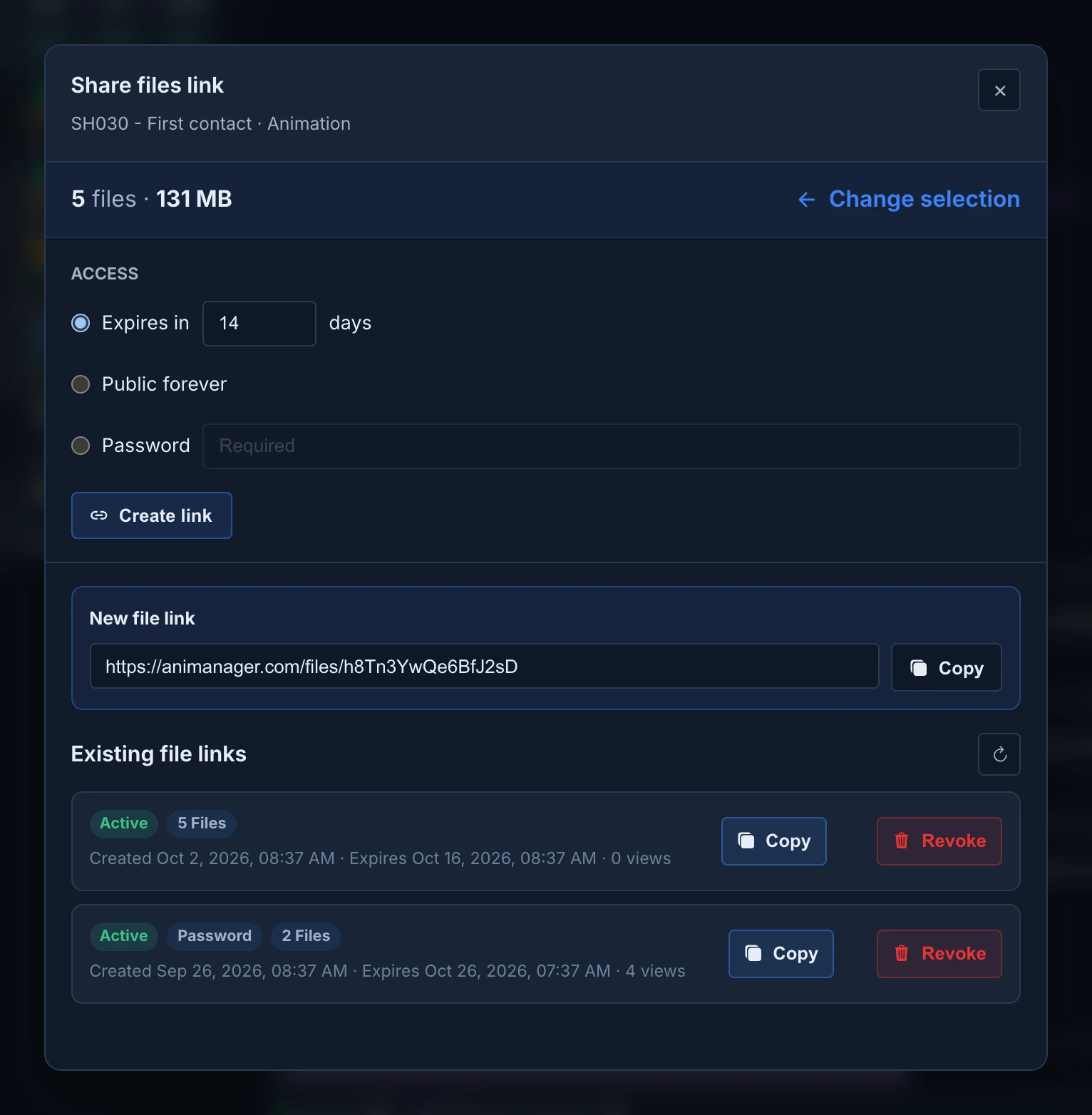
The link is named after the item and the stage, such as SH030 - First contact · Animation. Change selection goes back to the file list before you create it.
Treat a link as a publication
Anyone with an Expires in or Public forever link can download the files. Use Password for confidential work, and revoke the link when the delivery is done.
Choose the files
Choose files to share lists the files published in the stage, not only in the revision you started from: for each file, its latest version. When a master revision is pinned, the list stops at that revision.
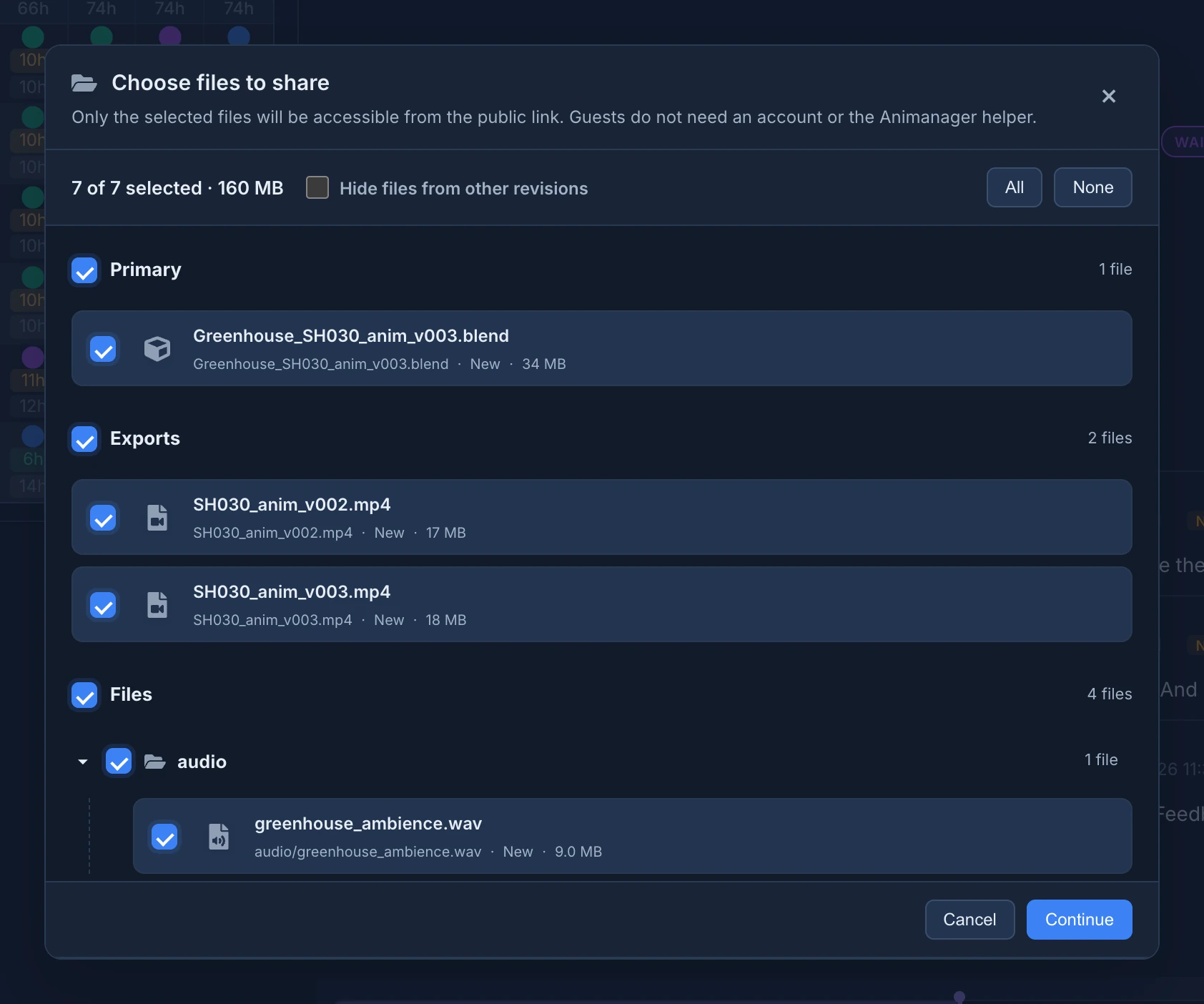
- The files are grouped in Primary (the work file), Exports and Files, and inside them by folder. The box of a section or a folder selects everything in it.
- The count at the top, such as 7 of 7 selected · 160 MB, adds up what goes in the link.
- Hide files from other revisions keeps only the files the revision you started from published, and takes the others out of the selection. It shows when the stage has both.
- A very long folder shows its first files and Show more.
- A file Animanager can't share safely is left out, and a message says how many.
What the link holds
The link keeps the files exactly as they were when you created it. A revision published later doesn't change it: create a new link to send the new files. A link holds up to 10,000 files.
What the recipient sees
The link opens a page titled Files shared by and the name of your studio, with the files, their size and the expiry date. They download everything at once or file by file, search the files and browse the folders. See Download files a studio shared with you.
Manage the links of a stage
Existing file links, in the same dialog, lists every file link of the stage, whoever created it. Refresh reloads the list. Each link shows whether it is active, expired or revoked, its Password badge, how many files it holds, when it was created and expires, and how many times it was opened.
- Copy copies an active link again.
- Revoke turns a link off at once, with no confirmation. It can't be undone.
Creating, listing and revoking file links needs the project permission External reviews set to Create, and access to the stage's work files. Everyone sees Share link on a revision card; without these permissions the lists stay empty and the link can't be created.