
Appearance
Animanager for artists
As an artist you pick up your stages, get the files you need, do the work, publish it and answer the notes. This tour takes you through the pages for each step, in the order of a normal day.
1. Find your work
- Plan the team on the Timeline: your row shows the stages assigned to you and when.
- Organize projects, spaces and items: type your name in the Tree's search to see the items where you have work.
- Follow activity in the feed: mentions, feedback on your work and new revisions from others.
- Notifications, sounds and badges: what notifies you, and how to hear or mute it.
2. Get the files
- Work locally with Desktop Helper: install it once, then it brings files to your computer and uploads your work.
- Connect stages: inputs and masters: what your stage receives from the stages before it, and the Get files window.
3. Do the work
- Save in Blender and publish: install the Animanager add-on and save with Save for Animanager.
- The Blender add-on, panel by panel: every input state, the collections, the shot's metadata and the sequence context, and how your team sees your session in Team Activity.
- Generate images and video on the canvas: references, generators and results next to the shot.
- Reuse characters and sets as assets and Choose a model and see what it costs.
4. Publish
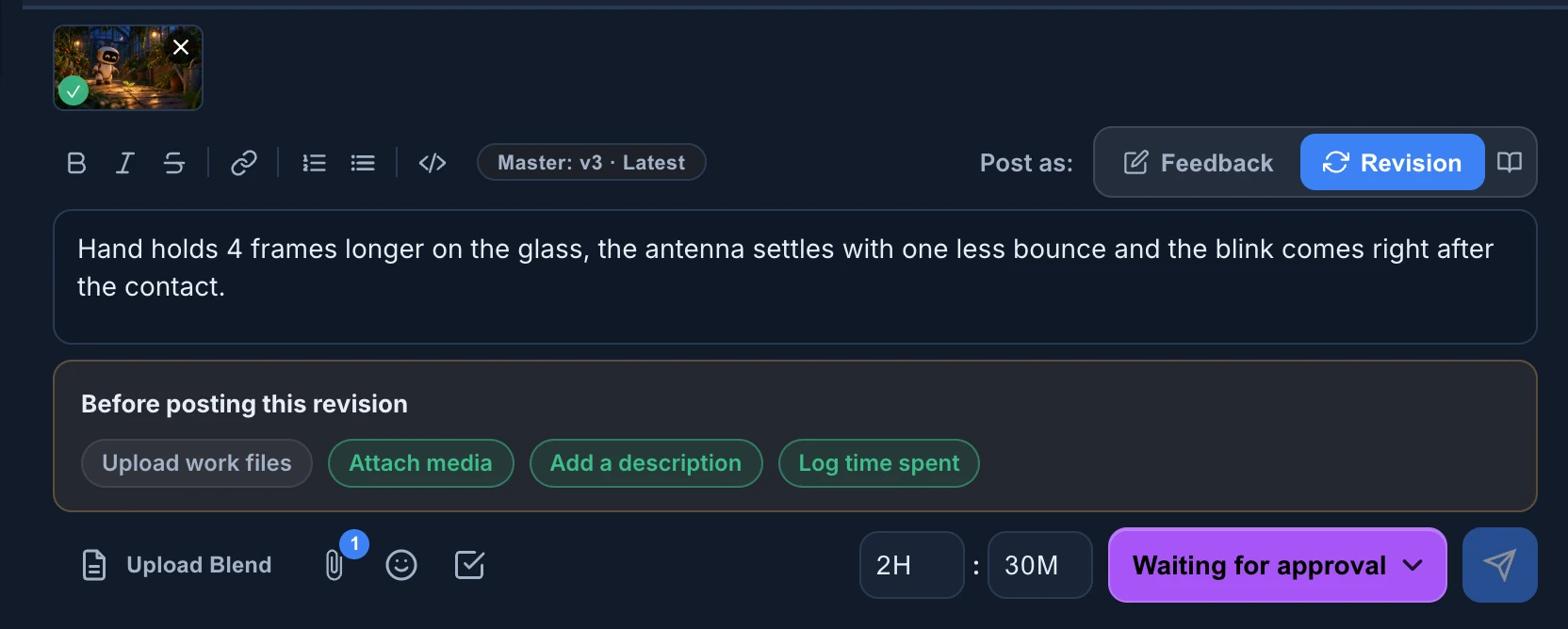
- Publish a revision: your work files, the preview media, the status and your time, as a new version. If an upload stops, see When the work files didn't finish uploading.
- Track time and estimates: the budget bar under your stage's chat says how many of its hours are left.
- Log time and review it: time spent outside a revision, and your own Timesheet.
- Render on your own machines: send a published Blender revision to the studio's render farm.
5. Answer the notes
- Review a shot: the notes and drawings on each frame.
- Draw feedback on the frame: what each tool does, Feedback Layers, and what is kept if you close without sending.
- Give feedback in the chat: replies, mentions and references in the chat of the stage.
- Write messages: formatting, files, checklists and Anibot functions.
6. Let an AI agent help
- Prompts that work: variations on the canvas, contact sheets, preparing files and publishing when you ask.