
Appearance
What an agent can and can't do
An AI agent connected through the MCP server works for the person who connected it. These rules come with every connection, whichever agent you use.
It works with your permissions
Every request the agent makes carries your session, and Animanager checks your permissions each time. It can't see a project you can't see, and it can't publish on a stage where you can't publish. When a permission is missing, it tells you which one, and a studio admin can grant it.
It tells you the cost first
Generating images and videos spends the studio's tokens. Before a batch, the agent estimates the cost in tokens and tells you. There is no spending cap unless you give one: say "keep it under 2,000 tokens" and it plans the batch to fit.
It also asks everything it needs in its first reply, such as the status to publish with or which items to include, so you answer once and leave it working.
It publishes only when you ask
Results stay on the canvas until you ask for more. Publishing a revision, editing one or deleting one is refused unless you asked for it in that request. When you don't name a status, the agent asks for it; a revision published without one leaves the stage's status as it was. Changing an item's priority and launching a render on the render farm also wait for you to ask.
It can edit or delete only revisions you could edit or delete yourself: your own, or, for a moderator, the ones Anibot posted.
It signs as Anibot
Messages, comments and revisions the agent posts are signed Anibot, with for and the name of the person who asked next to it, in the chat and in the Feed. The text is only what the agent wrote. A status change without text shows as a status line, as when a person makes it. A revision can be text only, such as a fix report, unless the stage asks for media. Below the summary of a revision it can list the generations it ran and the tokens they used. Anibot records no hours and takes no seat.
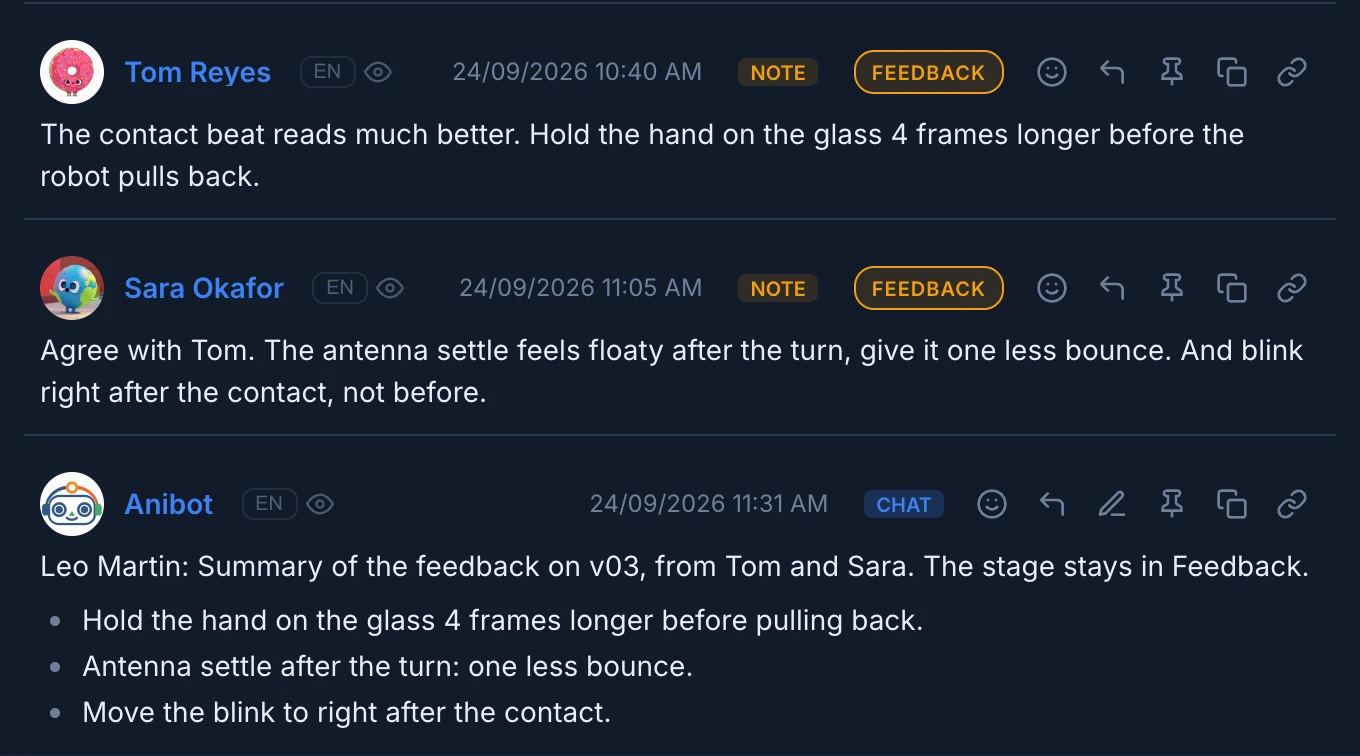
Work files an agent publishes through your Desktop Helper are signed with your name, unless you ask for Anibot.
Anibot also signs what Animanager does on its own for you: the revisions of Generate a stage… and the notices of the render farm. Anibot can't be mentioned with @. In the chat, / at the start of a message lists the Anibot functions that computers connected to the studio offer right now, if any.
What it can't do
- Delete media. On a canvas it removes only empty generators, text notes, or media it placed itself in the same conversation, and never a generator that is still running.
- See what you have open unless the Desktop Helper runs on the same computer as your browser. Without it, name the item or paste its link. See Point at what you mean.
- Change billing, roles, permissions or members.
- Pause, cancel or retry render jobs, or switch render nodes on or off. It can follow the queue, launch renders and get their files.
- Assign work to people. It can propose a split and post it in a thread, tagging the people.
MCP tools lists everything an agent can do, with what each tool needs.