
Appearance
Prompts that work
Ask an agent the way you would ask a colleague who knows Animanager. These requests use what its tools really do. Try them once your agent is connected.
Tips
- Paste a link. A link to a stage, an item or a canvas tells the agent exactly where to work.
- Say what to publish, and with which status. Without that, the agent leaves the results on the canvas and asks.
- Ask for the cost first when you plan a batch, and give a budget in tokens if you want a cap.
- Name the canvas or say "this canvas" for the one you have open in the browser.
Point at what you mean
The agent sees what your browser shows, through the Desktop Helper on the same computer:
- "This canvas" is the item canvas you have open in a browser tab, in the canvas window or inside the item. With several open, it takes the one you used last, and it knows which folder you are in. A stage's References board doesn't count: name the item instead.
- "These" or "the selected ones" are the elements you have selected on that canvas. Select three images and ask "make a variation of each".
- Handles: hover or select any element of a canvas and a small label appears above it, such as G2 or M7. It is the name the agent uses for it: G for generators, M for media (images, videos, files and sketches), F for frames, D for folders, T for text and N for the rest. "Wire M7 into G2 and write a prompt for a night version" leaves no doubt. Handles are numbered from the top left of the canvas, so they change when you move things around.
- Ids: click a handle to copy the element's id, the media id for an image or a video. An id stays the same wherever the media goes: paste it in the conversation and the agent finds every canvas it is on and, for a result, the model, prompt and settings it was made with. The i panel of a result shows the same Media ID.
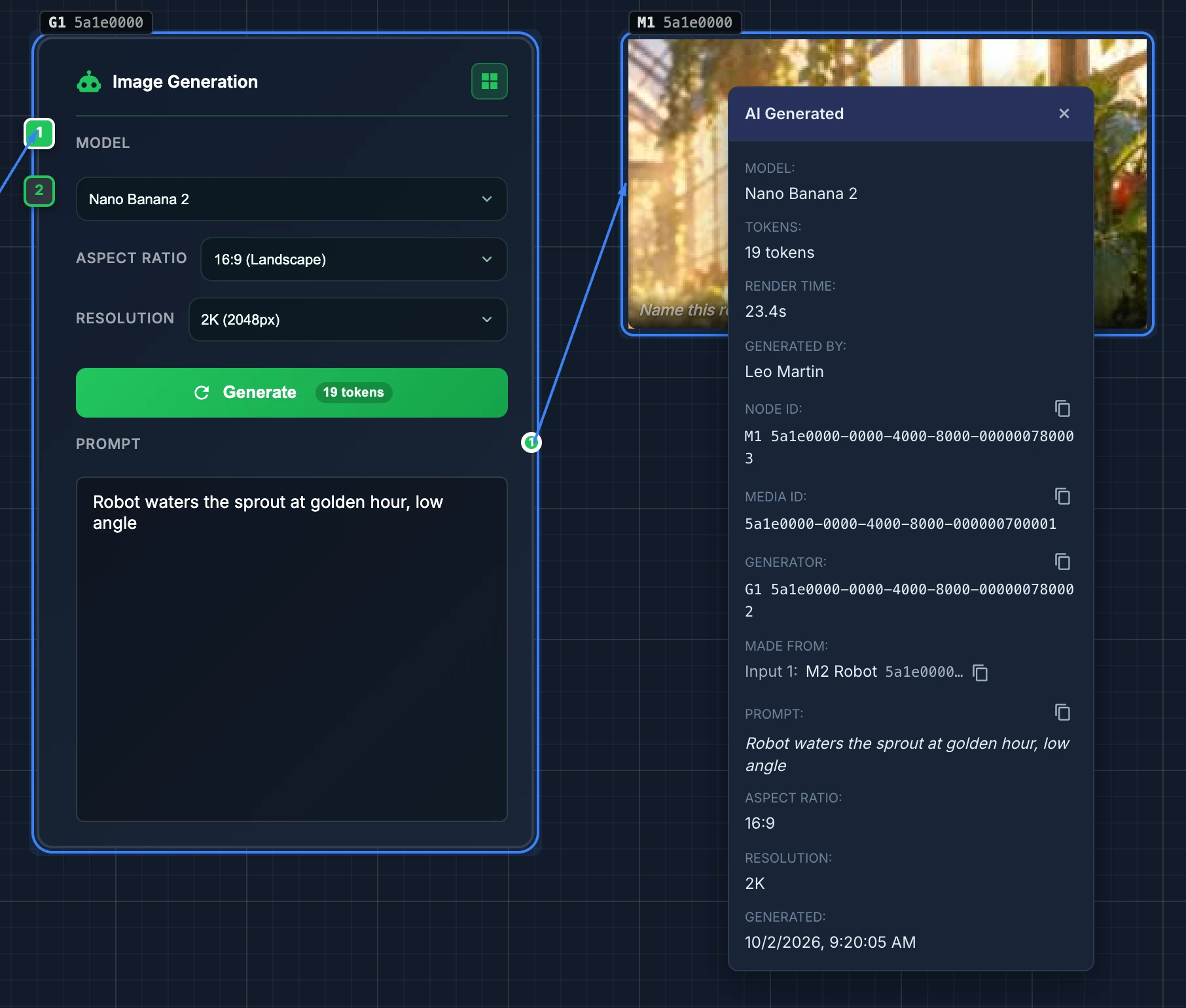
If the agent answers that no canvas is open, check that the canvas tab is open and that the Helper is running and signed in on that computer.
For producers
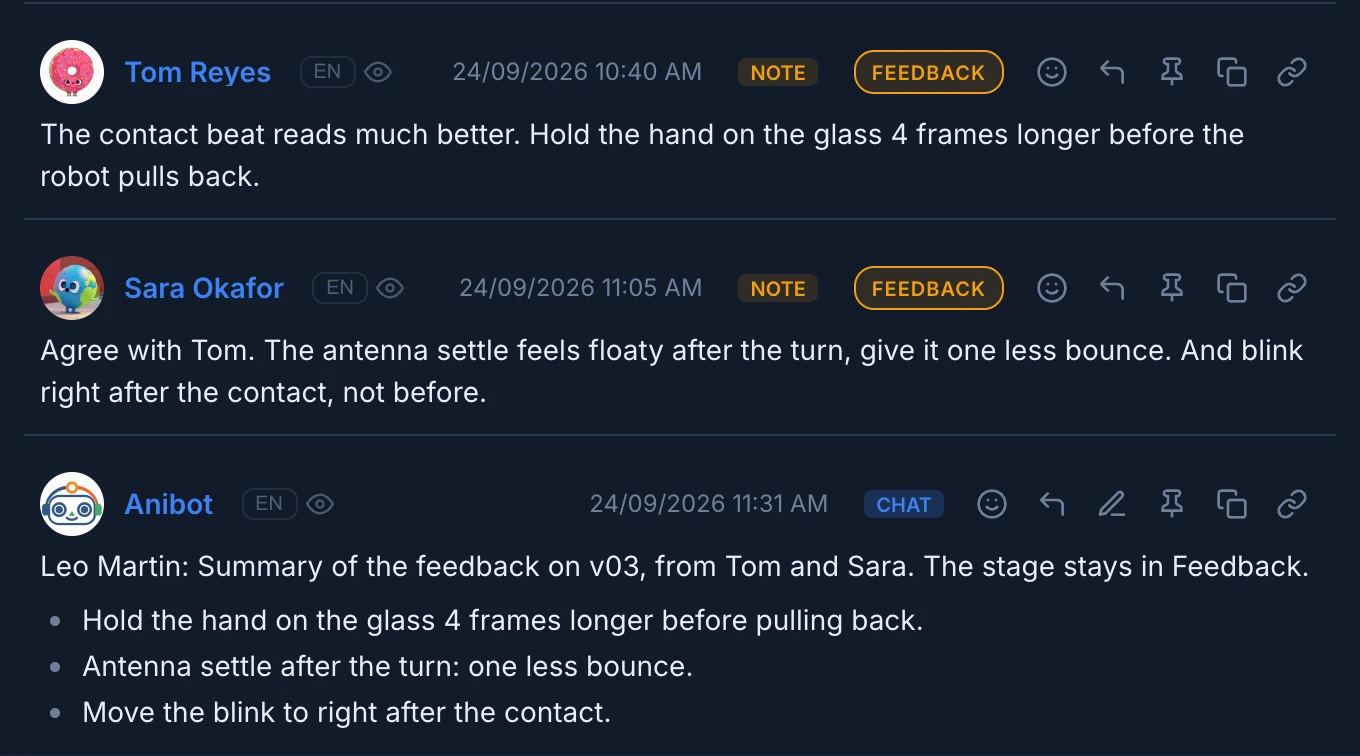
- "Summarize the feedback on the latest revision of this shot."
- "Which shots of sequence 010 are still waiting for approval?"
- "How much would twelve five-second videos cost?"
- "Move layout to ready for review and tell the lead."
- "Set SH030 and SH040 to high priority, they go to the client on Friday."
- "Propose how to split the lighting of sequence 010 between Ana and Tom, and post it in the Lighting thread tagging them."
- "What is on the render farm right now, and which renders failed today?"
For artists
- "Generate three variations of this frame on the canvas."
- "Bring the Robot asset onto this canvas and wire it into a new Nano Banana 2 generator."
- "Make a contact sheet of the first ten seconds of this take."
- "Prepare the files of the animation stage."
- "Publish my blend and the playblast as a new revision for review."
- "Render the latest revision of SH030 Lighting on the farm, frames 1001 to 1048, high priority."
- "Why did my last render fail?"
- "Download the frames of my last render of SH030 to my computer."
The render farm requests are explained in Ask an AI agent.
Ready-made prompts
The MCP server also brings four prompts that start a whole workflow. In Claude Code, type /mcp__animanager__ and the name, such as /mcp__animanager__brief. In Claude Desktop, pick them from the prompt picker.
| Prompt | What it does |
|---|---|
brief | Asks what to do, where, with which models and budget, estimates the cost and waits for your go. |
stage-to-stage | Produces a stage from what an earlier one holds, such as Layout from Storyboard, for one item or a whole space. |
item-report | Writes a status report of one item: every stage, its latest revisions and open threads. |
continuity-check | Compares the latest revisions of one stage across a space and lists what doesn't match. |
stage-to-stage runs the same job as Generate a stage… in the Tree, which needs no agent. See Generate a stage for a whole space.
Their arguments are in MCP tools.