
Appearance
Choose a model and see what it costs
A generator on a canvas shows what its next run costs, in tokens, on its Generate button. Change the model or a setting and the number changes with it, before anything is spent. A few nodes, such as the Veo video generator, show no cost: check AI models and token costs before you run them.
Set up a generator
- On the canvas, open AI Generation in the toolbar and choose a generator: Image Generation under Images, or a video model under Video. You can also right-click the board.
- Choose the Model. AI models and token costs lists every model and its price.
- Set the options of the model, such as Aspect Ratio and Resolution. GPT Image models also have Quality.
- Wire in your references and write the prompt. See Generate images on the canvas.
- Read the cost on Generate, then press it.
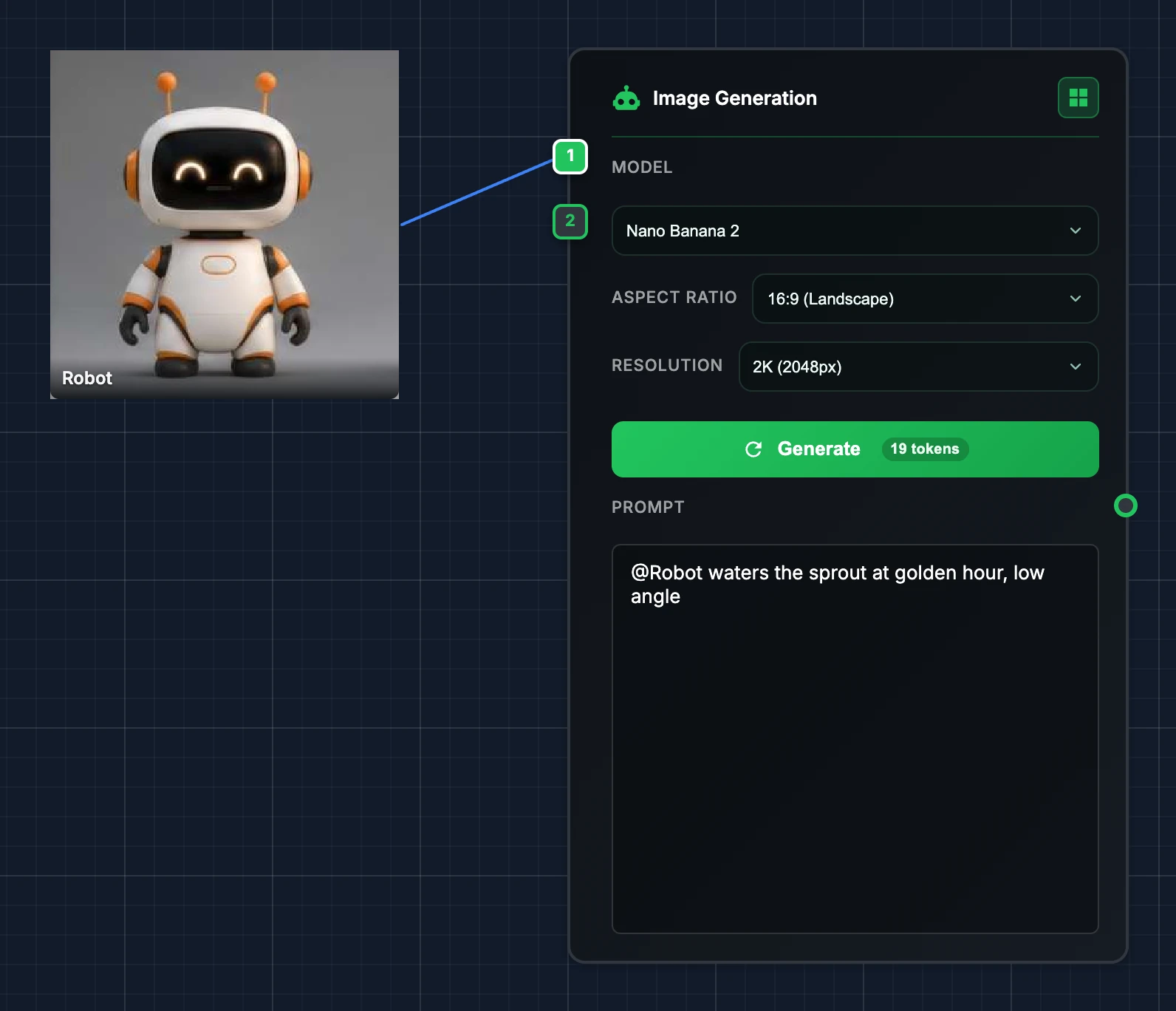
When a GPT Image model has its quality or size on Auto, the button shows · variable instead of a number: the model decides how many tokens to spend. Video nodes that charge by the second show the price per second, such as "15 tokens/s", and P-Video with a sound wired shows · audio length, as the clip lasts as long as the sound.
Which model for which job
Images, in the Image Generation node:
| Model | Good for |
|---|---|
| Nano Banana 2 | Quick iterations that keep a character or a set from the references. |
| Nano Banana 2.1 | Image generation and reference edits with improved text rendering. Choose 1K, 2K or 4K, including wide 4:1 and 8:1 compositions. Up to 14 reference images. |
| Nano Banana Pro | The same at higher quality, for frames you keep. |
| GPT Image 2.5 Sunburst, GPT Image 2.5 Flare, GPT Image 2 | Precise instructions, text in the image, transparent backgrounds and exact sizes. Quality sets how much they spend. |
| Seedream 5.0 Lite, Seedream 5.0 Pro | Another look to compare, up to 4K. |
Nano Banana 2.1 has its own price. Its image-output estimates are $0.0336 at 1K, $0.0504 at 2K and $0.1134 at 4K before input and thinking costs. The final token charge follows Google's returned usage. Google's pricing and size tables disagree on 4K tokens; the estimate follows the pricing table checked on 8 October 2026. Google pricing.
For reference edits, connect images and describe what to change and what to keep. Nano Banana 2.1 works best with up to four characters and ten objects. This option does not add web search or a multi-turn conversation to the canvas. Existing generators and the default model stay the same.
Video, one node per model:
| Node | Good for |
|---|---|
| P-Video | Cheap drafts to try an idea, then Final. |
| Veo 3.1 | A clip from a prompt or a still, with sound and dialogue. |
| Seedance | Rendering a playblast or a layout with the final look: 2.0 Fast to try, 2.0 Standard for 1080p and 4K, 2.5 for up to 30 seconds. |
| MiniMax H3 | The same job up to 4K. MiniMax H3 Max gives a five-second clip in seconds. |
| Kling Motion | Acting you recorded, performed by a character. |
| Kling Edit | Changing a clip you already have, with words. |
To finish media you already have, see Enhance, cut out, add sound and make 3D. Each node's options are in Generate images and Generate video.
Try cheap, then commit
Most nodes cost more with resolution and length. Find the shot at a low resolution or with a fast model, then run the one you keep at full quality. Seedance at 4K costs about five times 720p.
Your prompt, word for word
What you write is what the model gets, plus a short note Animanager adds when references are wired so the model keeps them recognizable. P-Video can also let the provider rewrite it: Enhance prompt, on by default. Turn it off when the exact words matter.
How tokens are charged
- When you press Generate, Animanager sets aside the tokens of the run.
- When the result arrives, the run is charged what it really cost.
- A generation that fails is not charged, and the tokens set aside come back.
- If the studio doesn't have enough, the run doesn't start and says "Not enough AI tokens for this generation. Buy a token pack in Billing to continue." With automatic top-up on, Animanager buys a pack first. See Buy token packs and follow usage.
Tokens belong to the studio and every member spends from the same balance. The token pill in the canvas toolbar shows what has been spent on this canvas, deleted results included; click it for the totals of the item, collection, space and project. Each result's details, and the Generations panel, show what it cost.
Plan a batch before you run it
Generate a stage… estimates a whole space before it runs, and so does an AI agent connected to Animanager. See Generate a stage for a whole space and What an agent can and can't do.