
Appearance
Invite a client to review
A review link opens one revision, and nothing else of the studio or the project. Your client watches it, draws on the frame and sends notes without an account, and never takes a seat.
Create the link
- Open the revision in Review mode and pick it in Rev:.
- Press Share in the Review mode header. It is greyed out until the revision has loaded.
- Under Access, choose one:
- Expires in a number of days: 14 unless you change it, from 1 to 3650.
- Public forever: the link never expires.
- Password: the client types it to open the link. A password link never expires. The password shows as you type it, up to 256 characters.
- Leave Allow feedback on so your client can draw and send notes. Turn it off for a link that only shows the media.
- Press Create link.
- Under New review link, press Copy and send the link to your client.
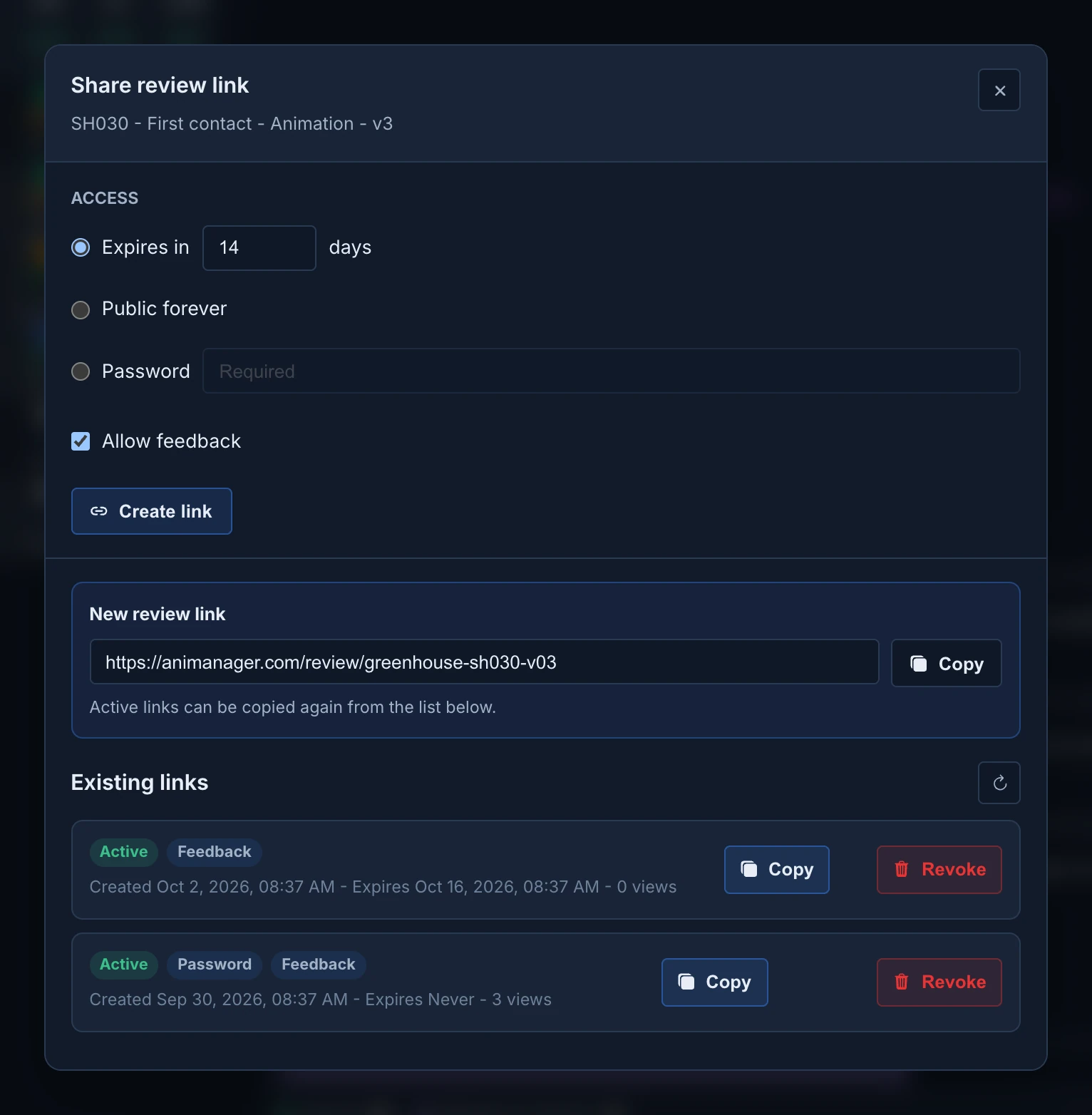
The dialog's title names the version, such as SH030 - First contact - Animation - v3. Your client sees the same name when they open the link.
Anyone with the link can open it
An Expires in or Public forever link needs no sign-in, and guests can download the media. Use Password for confidential work, and revoke the link when the review is done. The password is not shown again after you create the link.
What your client sees and can do is in Review a studio's work from a link.
When your client sends notes
- Their notes and drawings arrive in the chat of the stage, marked Client: with the name they typed, and View client feedback opens them on their frame.
- The same card reaches the Feed of everyone who can open that stage.
- The stage moves to the Feedback status, as with your own feedback. The studio needs a status named Feedback for this; without it, the notes arrive and the status stays.
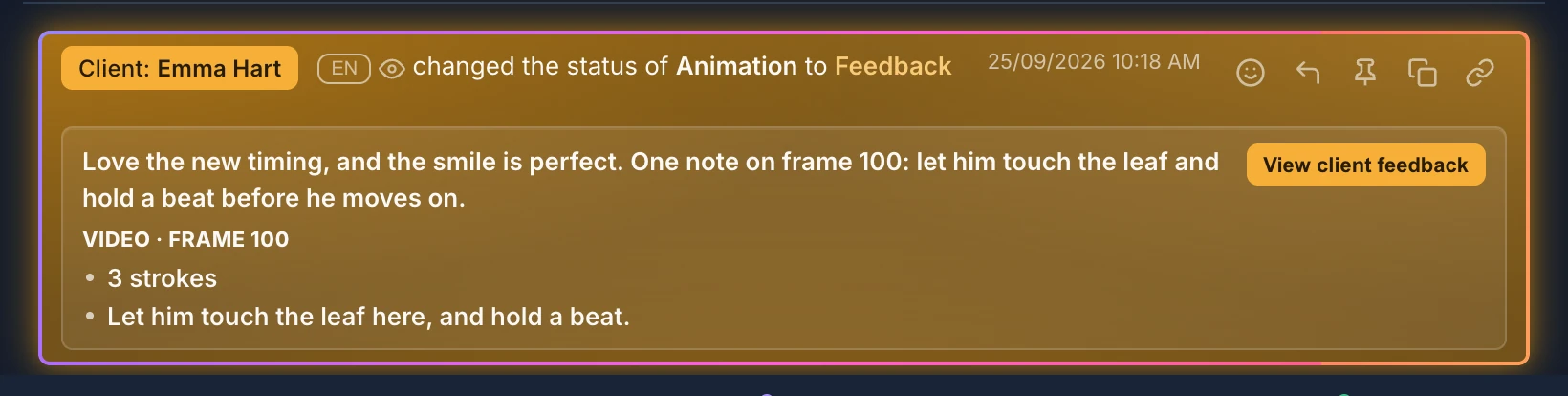
A link created without Allow feedback sends nothing back.
When a client gives you notes by phone or email instead, post them in their name with Post as client. See Draw feedback on the frame.
Manage the links of a revision
Existing links, in the same dialog, lists every link of the revision, whoever created it. Refresh reloads the list. Each link shows whether it is active, expired or revoked, its Password and Feedback badges, when it was created and expires, and how many views it had. Every time someone opens the link counts as a view, reloads included.
- Copy copies an active link again.
- Revoke turns a link off at once, with no confirmation. It can't be undone: create a new link if the client needs it again.
Creating, listing and revoking links needs the project permission External reviews set to Create. Without it, Share still opens the dialog, but the list stays empty and Create link fails.